Role
Process
Output
In the creative process, visuals aren't merely complementary—they're the primary bridge for conveying ideas and concepts. This documentation explores how words—in prompt form—can be directed to produce relevant, aesthetic, and meaningful visuals using MidJourney.
When presenting concepts or ideas, supporting visuals become crucial elements. However, the process of visualizing ideas often requires significant time and effort—from searching for reference images and rearranging compositions to digital imaging through various design software.
Through MidJourney, this process can be significantly streamlined, particularly in the exploration and initial idea visualization stages. This initiative emerged from the need for efficiency in communicating ideas visually without sacrificing quality or aesthetic complexity.
MidJourney serves as a solution to accelerate and simplify this process, especially during early exploration stages. MidJourney's main strength lies in its ability to generate aesthetic, detailed, and imaginative visuals from just word descriptions (prompts). With this approach, even the most abstract ideas can be visualized quickly and relevantly, making visual communication more efficient.
1. Understanding Prompt Anatomy
Proper prompt structure is essential for clear, accurate, and attractive results. The formula used:
[Subject] + [Style] + [Action/Activity] + [Technical (lighting/composition)] + [Mood/Color] + [Details] + [Optional Parameters]
2. Adding Visual References (Optional)
Incorporating image references or style references can strengthen final output direction. While optional, visual references often help guide AI to produce images more aligned with desired style and context, reducing iteration needs.
3. Performing Iterations
Prompts are tested and adjusted according to exploration needs until achieving appropriate visuals. Iterations can be performed through image variation reproduction, text re-prompting, image references, and style adjustments.
4. Personal Preference Customization
MidJourney enables creating results aligned with personal visual styles established through previous taste tests and preference settings.
Positive Impact:
Limitations:
Structure, accuracy, and detail in prompt design are key to effective AI collaboration. By understanding how AI thinks and structuring it through directed prompts, we don't just "rely on" AI, but collaborate with it to create something meaningful.
Effective Prompt Example:
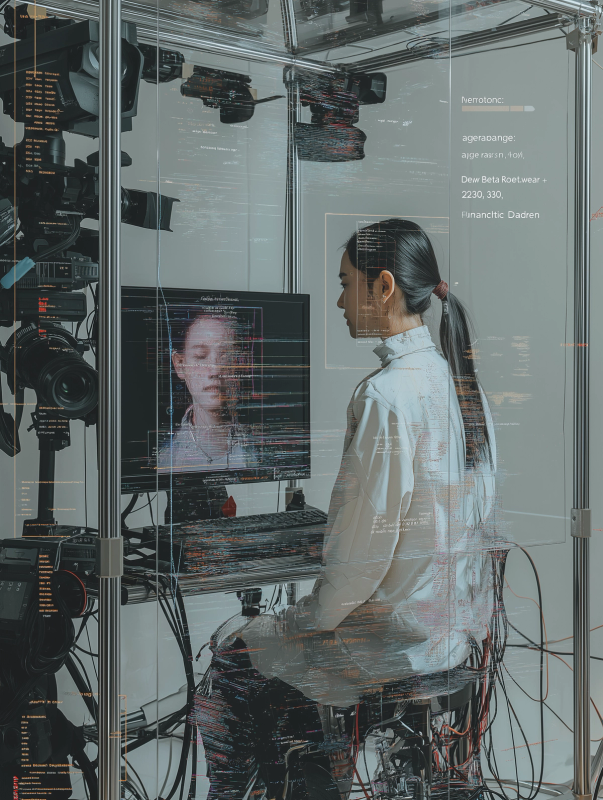
A Southeast Asian woman with a ponytail, sitting inside a transparent surveillance booth, surrounded by dozens of black DSLR, mirrorless, and CCTV cameras pointing at her from all angles. She faces a digital screen showing an AI-generated glitch-style half-body portrait of herself. The portrait is overlaid with facial tracking lines, colorful scribbles, and system annotations: "emotion: 42% joy / 23% confusion", "age: 22-30", "style: streetwear + techwear", "Beta Romantic", "Melancholy Daydreamer". The screen design is chaotic, layered with visual noise, distorted type, and colorful glitch effects. The booth is made of aluminum frames and tangled black cables. Sleek, minimal, dystopian aesthetic, neutral background, soft shadow, hyper-detailed --v 6 --ar 3:4 --style raw
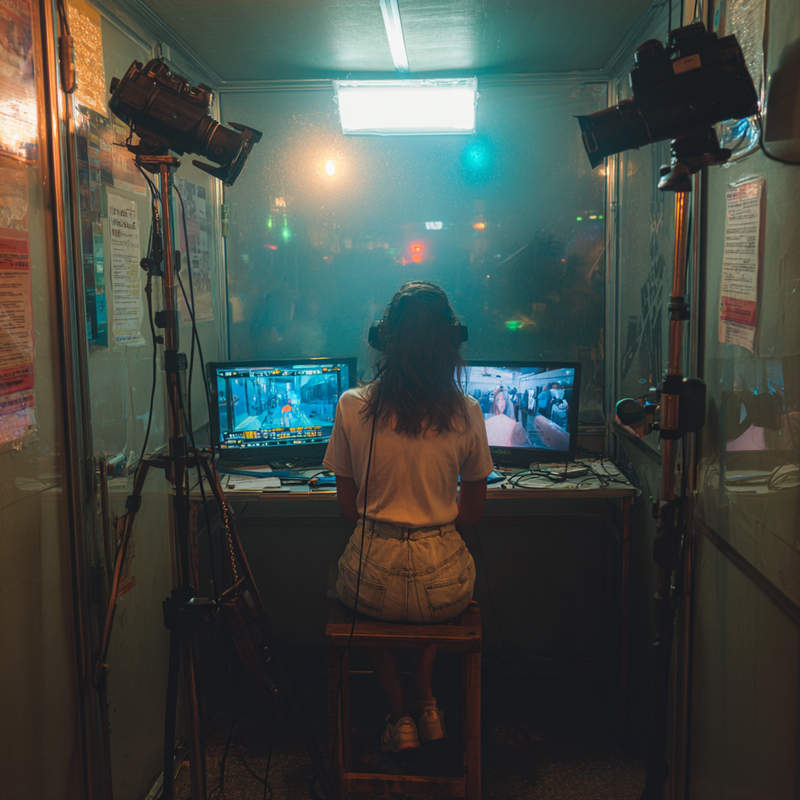
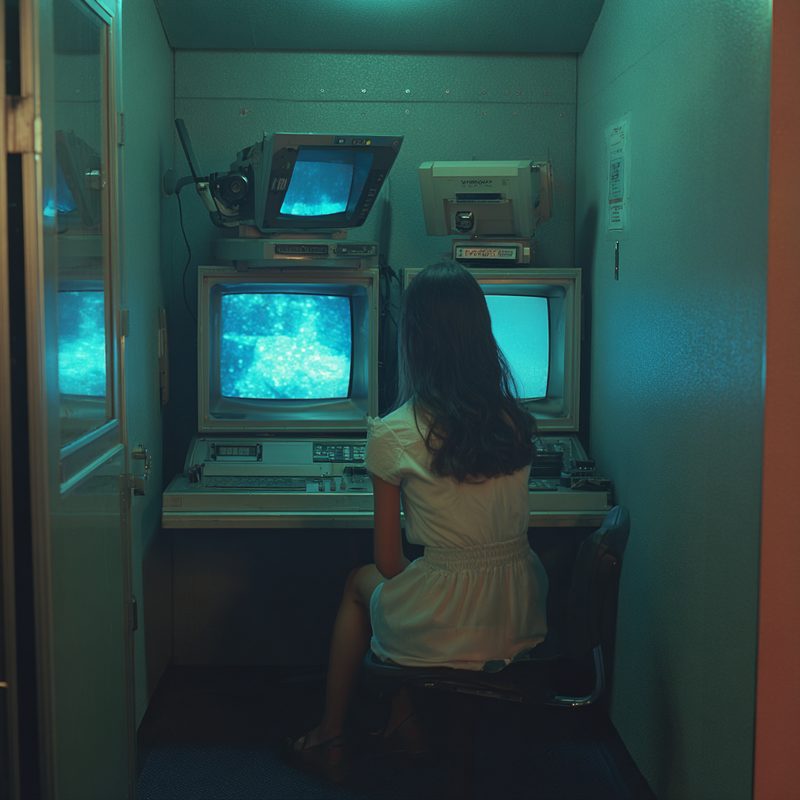
Conversely, unstructured prompts produce ambiguous visuals: Results become very random. MidJourney doesn't know the style, mood, or focus.
Generic/Ambiguous Prompt Example:
A girl in a booth with cameras and screen
Understanding visual technique and theory helps in forming ideal and detailed text prompts.
Tips for Composing Prompts for Visual Language Newcomers:
Use 5W1H as an initial approach: Who (character), What (activity), Where (location/setting), When (time/day), Why (mood/narrative), and How (visual style, composition).
Use AI assistance like ChatGPT for prompt composition: We can ask AI to help transform ideas into detailed MidJourney prompts. But before creating detailed prompts, start simple using 5W1H. Rather than immediately writing long prompts, begin with basic structure then iterate by asking ChatGPT to create technical visual language details that are simple and understandable to MidJourney.
Key Insight: Visual knowledge and technical understanding significantly enhance prompt effectiveness, but systematic approaches and AI assistance can bridge knowledge gaps for beginners.